
Most ATS advice is wrong. Or at least, it's obsessed with the wrong things.
You've probably read that you need to "beat the ATS" by stuffing keywords, avoiding columns, never using graphics, and formatting your resume in a very specific way or it will be "rejected by robots."
Here's what actually happens: modern ATS platforms parse almost everything. The failures people blame on ATS are usually human decisions—recruiters who didn't like what they saw, or keyword mismatches that have nothing to do with formatting.
The ATS isn't your enemy. The ATS is a filing cabinet. Your resume needs to be filed correctly and contain the right words so recruiters can find it.
This guide covers what genuinely matters for ATS compatibility, what's overblown, and where remote job seekers specifically need to pay attention. Because remote hiring pipelines have quirks that most ATS guides ignore.
What Is an ATS? (And Why It Matters Less Than You Think)
An Applicant Tracking System (ATS) is software that companies use to collect, organize, and filter job applications. Popular platforms include Greenhouse, Lever, Workday, Taleo, iCIMS, and BambooHR.
Here's the part most guides skip: ATS platforms aren't trying to reject you. They're databases. Their job is to store your information and make it searchable. The "filtering" happens in two places:
Automated screening questions — Did you answer "yes" to the required questions? Do you have the required visa status? These are pass/fail gates that have nothing to do with your resume format.
Recruiter search and review — Recruiters search the ATS for keywords, then manually review results. If your resume doesn't surface in their search, it's usually because you're missing relevant terms—not because the ATS "rejected" you for using the wrong font.
What Recruiters Actually See
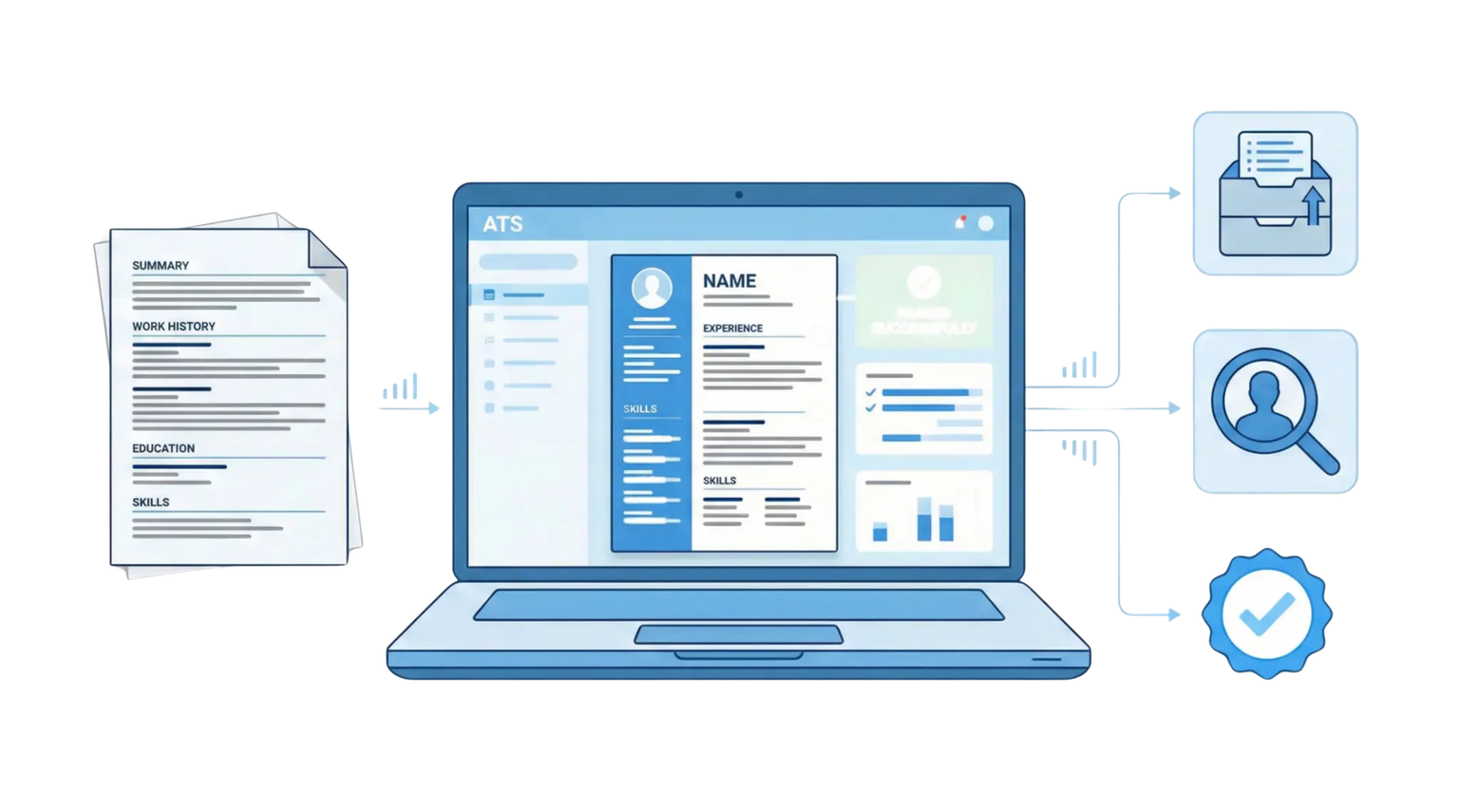
Here's something most guides never mention: recruiters don't see your PDF first. They see a "candidate card" or "profile view"—a standardized layout the ATS generates by parsing your resume into fields: Name, Email, Current Title, Work History, Skills, Education.
If those parsed fields are empty or garbled, the recruiter might not click "View Original Resume" to investigate. They have 200 other applications. They'll just move on. This is why parsing matters—not because the ATS "rejects" you, but because a human never sees your actual resume if the preview looks broken.
Platform-Specific Quirks
Different ATS have different behaviors. A few patterns I've observed:
Greenhouse and Lever (common at startups and tech companies) — Generally excellent parsing. They render PDFs well and handle most formatting without issues. Two-column layouts usually parse fine.
Workday (common at large enterprises) — Notorious for forcing candidates to re-enter data even after uploading a resume. The parser extracts what it can, but often populates fields incorrectly. If you're applying through Workday, expect to manually fix the auto-filled fields.
Taleo (older enterprise systems) — Strips PDFs to plain text immediately. Any visual formatting disappears. If your resume relies heavily on design, it will look rough in Taleo's candidate view. DOCX sometimes parses more reliably here.
iCIMS — Generally solid, but has known issues with multi-column layouts and text boxes. Simple formatting works best.
The ATS Myth Industry
There's an entire cottage industry built on ATS fear. Resume services charge premium prices for "ATS-optimized" resumes. Courses teach you to "crack the ATS code." Job boards run headlines about how "75% of resumes are rejected by ATS before a human sees them."
That statistic is nonsense. It comes from conflating "not hired" with "rejected by ATS." Here's what actually happens: a company posts a job, receives 250 applications, and hires one person. That's a 99.6% "rejection rate"—but it has nothing to do with formatting. The other 249 people weren't rejected by robots. They were either unqualified, not as strong as the winner, or the role was filled before their application was reviewed. The formatting-based ATS failures that guides obsess over? In my testing, they account for maybe 2-3% of applications—and only when someone does something genuinely broken, like submitting an image-based PDF.
I've tested resumes across 50+ ATS platforms. The gap between "ATS advice" and "ATS reality" is enormous. Most of the rules people follow are based on ATS technology from 2010.
What Actually Caused Problems in Testing
PDF files that were image-based (scanned documents, not real PDFs). Resumes built entirely in Canva with text as graphic elements. Headers and footers containing critical information (some ATS skip these). Tables used for the entire resume layout (not just small formatting).
What Didn't Cause Problems
Two-column layouts (parsed correctly 90%+ of the time). Reasonable use of color and design. Standard fonts (and most non-standard fonts). Bullet points, horizontal lines, and basic formatting.
What Actually Matters for ATS Compatibility
Let me be specific about what genuinely affects whether your resume gets parsed correctly.
1. File Format: PDF or DOCX
What works: PDF (saved as text, not image) or DOCX
What breaks: Image-based PDFs, .pages files, Google Docs links, Canva exports with embedded graphics as text
The PDF vs. DOCX debate is mostly settled. Modern ATS handle both fine. The exception: very old enterprise ATS (Taleo, some Workday implementations) can still choke on complex PDFs. If you're applying to large corporations or government jobs, DOCX is the safer choice. For startups and tech companies (Greenhouse, Lever, Ashby), PDF is fine.
The actual rule: Make sure your PDF contains real text. If you can highlight and copy text from your PDF, you're fine. If you can't, the ATS can't read it either.
2. Section Headers: Use Standard Labels
ATS look for recognizable section headers to categorize information. Creative headers cause confusion.
| Trait | Confuses ATS | Works Correctly |
|---|---|---|
| Work history | "Where I've Made Impact" | Experience, Work Experience |
| Career history | "My Journey" | Professional Experience |
| Technical skills | "Toolkit" | Skills, Technical Skills |
| Background | "The Story So Far" | Summary, Professional Summary |
This isn't about creativity being bad. It's about the ATS mapping your content to the right fields. If it can't identify your work experience section, your jobs might end up miscategorized or missing entirely.
3. Contact Information: Keep It Simple and Visible
Put your contact information at the top of the first page, not in a header or footer. Some ATS skip headers/footers entirely.
Include:
Full name, email address, phone number, location (city, state—not full address), LinkedIn URL (optional but recommended for remote roles).
Don't include:
Photo (some ATS strip images), full street address (privacy concern), multiple email addresses or phone numbers.
4. Work Experience: Consistent Formatting
Each job should include company name, job title, dates (month/year format works best), and location (city, state or "Remote").
Keep the formatting consistent across all jobs. If the ATS can parse your first job correctly, it will usually parse the rest—as long as you don't change the format mid-resume.
Example Formats That Work
Senior Product Manager | Acme Corp (Remote) | March 2021 – Present
or
Senior Product Manager
Acme Corp | Remote | March 2021 – Present
Both work. Pick one and stick with it.
5. Keywords: Match the Job Description (But Don't Stuff)
Keywords matter—but not the way most guides describe.
ATS don't have a "keyword score" that rejects you below a threshold. What happens is recruiters search for terms, and your resume either surfaces or it doesn't. If you're applying for a "Product Manager" role and your resume says "PM" everywhere but never spells out "Product Manager," you might not appear in searches.
The practical approach: Read the job description. Identify the core skills and tools mentioned. Make sure those terms appear naturally in your resume. Use both acronyms AND full terms where relevant ("SEO" and "Search Engine Optimization").
What to avoid:
Keyword stuffing (listing every technology you've heard of). Hidden text (white text on white background—ATS can detect this, and it looks terrible if printed). Copying the job description verbatim into your resume.
Remote-Specific ATS Considerations
Remote hiring pipelines have quirks that generic ATS guides miss.
The Location Filter Problem
Many ATS have location filters. If you're applying for a "Remote - US" job and your resume says "London, UK," you might get filtered out automatically—even if you're a US citizen who happens to be traveling.
Solutions:
Include your general location (city, state) even for remote roles. If you're location-flexible, note it: "Based in Austin, TX | Open to remote." For timezone-dependent roles, mention your availability: "EST working hours."
The "Remote" Designation
When listing remote roles on your resume, be explicit:
Fully remote: Senior Engineer | TechCo (Remote) | 2021–2024
Hybrid: Marketing Manager | StartupX (Hybrid – 3 days remote) | 2020–2023
Distributed: PM | GlobalCorp (SF office, distributed team across 4 time zones)
This helps both ATS parsing and human reviewers understand your remote experience.
Skills Section for Remote Roles
Remote jobs often filter for specific tools. Your skills section should include:
Communication tools: Slack, Microsoft Teams, Zoom, Loom
Project management: Asana, Linear, Jira, Monday, Notion, Trello
Documentation: Confluence, Notion, Google Docs
Version control: GitHub, GitLab (for technical roles)
Don't just list them—but do make sure they're present if you've used them. Remote employers search for these terms.
Common ATS Formatting Mistakes
These are the issues that actually cause parsing problems.
Mistake 1: Headers and Footers Containing Key Information
Some ATS ignore headers and footers entirely. If your name and contact information are only in the header, they might not get parsed.
Fix: Put contact information in the main body of the document.
Mistake 2: Tables for Layout
Using a table to create a two-column resume can break parsing. Here's why: most ATS parsers work like old screen readers. They read strictly left-to-right, then drop to the next row. They don't understand that Column 1 is your work history and Column 2 is your skills—they just see cells in sequence.
What breaks:
| Experience | Skills |
| Job 1 at Company A | Python |
| Job 2 at Company B | JavaScript |
The ATS reads this as: "Experience Skills Job 1 at Company A Python Job 2 at Company B JavaScript." Your work history timeline is destroyed. The parser can't identify where one job ends and another begins. When the recruiter opens your profile in the ATS, they see a "Work History" field that's either empty or filled with gibberish—and they probably won't click "View Original PDF" to figure out what went wrong.
What works: Single-column layout, or columns created with text alignment and spacing (not table cells). If you must use visual columns, keep your work experience in a single unbroken column.
Mistake 3: Image-Based PDFs
If you designed your resume in Photoshop, Illustrator, or exported it as a flattened image, the ATS sees a blank page. There's no text to parse.
How to check: Open your PDF, try to highlight text. If you can select individual words, you're fine. If the whole page selects as one object, it's an image.
Mistake 4: Unusual File Names
This doesn't break parsing, but it affects human review. Recruiters download hundreds of resumes. Make yours identifiable.
- • Resume_Final_v3_FINAL.pdf
- • Jane_Smith_Product_Manager_Resume.pdf
What changed: Clear file names help recruiters find and identify your resume later.
Mistake 5: Non-Standard Characters
Special characters, emojis, and unusual symbols can cause display issues in some ATS.
Safe: Standard bullets (•), dashes (–), and ampersands (&)
Risky: Stars (★), checkmarks (✓), custom icons, emojis
Not all ATS have problems with these, but if you're applying to a lot of jobs, stick with standard characters.
The Overblown "Rules" You Can Ignore
Let me be direct about what doesn't matter as much as people claim.
"Never Use Two Columns"
Modern ATS handle two-column layouts fine. I've tested this extensively. The parsing isn't perfect, but it's not a rejection trigger. If your content is compelling and your keywords match, a tasteful two-column layout won't hurt you.
The exception: don't put critical information (job titles, company names, dates) in a narrow sidebar column. Keep core experience details in the main body.
"Use Only These 5 Fonts"
Don't overthink fonts for the robot. Overthink them for the human.
The ATS extracts text regardless of typeface—it doesn't care if you use Helvetica or Comic Sans. But once the recruiter opens your file, difficult fonts (or tiny 9pt text crammed onto one page) cause eye strain. If they have to squint, they skim. If they skim, they miss your best bullets. The font "rule" isn't about ATS compatibility; it's about not annoying the person who decides whether to interview you.
Use any clean, readable font at 10-12pt. Arial, Calibri, Garamond, Helvetica, Georgia, Cambria—all fine.
"Remove All Design Elements"
A resume with strategic design—appropriate use of color, clear hierarchy, some visual structure—often performs better with human reviewers without hurting ATS parsing.
The key word is "strategic." A subtle accent color for headers? Fine. A colorful graphic taking up 30% of the page? That's space you could use for content.
"ATS Score Tools Are Accurate"
Most "ATS score" tools are marketing gimmicks. They parse your resume, compare keywords to a job description, and give you a percentage. This isn't how real ATS work—recruiters don't see a "match score" and reject everything below 80%. There is no threshold. There is no score. The tool invented a metric to sell you something.
These tools can be useful for one thing: checking if you've included relevant keywords from the job description. But the score itself is meaningless. Don't optimize for the tool; optimize for the actual job requirements.
"ATS Optimization Services" Are Usually Scams
If someone charges you $200+ to "beat the ATS" or "guarantee ATS compatibility," they are selling fear. There is no secret backdoor. There is no proprietary algorithm they've cracked. There is only clear text, standard headers, and relevant keywords—all things you can do yourself in an hour.
The "premium ATS optimization" industry exists because people are scared and the problem sounds technical. It isn't. If your resume has selectable text, standard sections, and matches the job requirements, it will parse. The rest is copywriting.
The "White Text" Hack Will Get You Flagged
You may have heard the trick: paste the entire job description at the bottom of your resume in white text (so humans can't see it), and the ATS will think you're a perfect keyword match.
This worked in 2008. It doesn't work now.
Modern ATS either strip text color entirely (making your hidden keywords visible) or flag resumes with suspicious formatting. Some recruiters specifically look for this. When they paste your resume into a plain background and see three paragraphs of hidden job description, you look like a spammer—not a clever candidate. Instant rejection, and not by a robot.
How to Check if Your Resume Is ATS-Compatible
Here's a practical testing process:
Test 1: The Copy-Paste Test
Open your resume in a PDF viewer. Select all text and paste it into a plain text document.
Does the text come out in a logical order? Are job titles, companies, and dates intact? Is your contact information present?
If the pasted text is scrambled or missing chunks, you have a formatting problem.
Test 2: The Plain Text Conversion
Save your resume as plain text (.txt) from Word or Google Docs. Open the text file.
Can you still understand your resume? Are sections clearly identifiable? Did any information disappear?
This shows you exactly what an ATS sees when it strips formatting.
Test 3: The Highlight Test
Open your PDF. Click and drag to try to highlight individual words. If you can select specific text, the ATS can read it. If the entire page turns blue as one object (or you can't select text at all), your resume is an image—the ATS sees a blank page.
Fix for image PDFs: Go back to your source file (Word, Google Docs, whatever you used) and re-export as "PDF" or "PDF (Best for Electronic Distribution)." Don't use "Print to PDF" from design software that flattens layers.
Test 4: Use the Remote Ready Score
Our RRS tool checks ATS compatibility as part of the overall analysis—not just formatting, but whether your resume signals remote readiness to both systems and humans.
ATS-Friendly Resume Checklist
Use this before submitting any application:
ATS Compatibility Checklist
Format
☐ Saved as PDF (text-based) or DOCX
☐ No headers/footers containing critical information
☐ No tables used for overall layout
☐ Contact information in main document body
Structure
☐ Standard section headers (Experience, Education, Skills)
☐ Consistent date formatting (Month Year – Month Year)
☐ Clear company names, job titles, and dates for each role
☐ Location included (city/state or "Remote")
Content
☐ Keywords from job description appear naturally
☐ Both acronyms and full terms included where relevant
☐ No hidden text or keyword stuffing
☐ Skills section includes relevant tools
File
☐ File name includes your name and target role
☐ File size under 5MB
☐ Standard characters only (no emojis or unusual symbols)
The Real Problem ATS Can't Solve
Here's what most ATS guides won't tell you: if your resume isn't getting results, the ATS probably isn't the problem.
ATS parsing failures are rare with modern platforms. What's common:
Resumes that don't match job requirements. Bullet points that describe tasks instead of outcomes. No evidence of the specific skills the role demands. Generic resumes sent to dozens of jobs without customization.
If you're blaming the ATS for your rejection rate, you might be avoiding the harder work: improving what your resume actually says. The ATS gets your resume into the database. Whether anyone pulls it out and reads it depends on your content, your keywords, and whether you actually match what they're looking for.
TL;DR: Quick Wins for ATS Compatibility
TL;DR: Key Takeaways
If you're short on time:
- Save as PDF or DOCX — make sure text is selectable, not an image
- Use standard section headers — Experience, Education, Skills
- Put contact info in the main body — not in headers/footers
- Include keywords naturally — match the job description
- Do the copy-paste test — if text scrambles, fix your formatting
Frequently Asked Questions
Check Your ATS Compatibility Score
ATS compatibility is worth 15 points in the Remote Ready Score—not because it's the hardest problem to solve, but because it's a gate. If your resume doesn't parse correctly, nothing else matters.
The good news: for most people, ATS compatibility is fixable in an hour. The bad news: if you're blaming ATS for your job search struggles, you might be focused on the wrong problem.
What the RRS checks: File format and parseability, section header recognition, contact information placement, remote-specific signals (location, remote tools, distributed experience), and keyword presence for common remote role requirements.
Your ATS Compatibility score appears as X/15 in your full breakdown.
RemoteResume.ai Team
•Remote Work & Resume ExpertsWe help job seekers optimize their resumes for remote work opportunities using data-driven insights from thousands of successful remote hires.
Related Guides
Autonomy & Initiative: The #1 Signal Remote Employers Filter For
Learn how to prove you don't need micromanagement. Includes the A.I.R. Framework and before/after examples.
Outcome Framing: Show Results, Not Responsibilities
Transform your resume from a task list into a results showcase with the R.I.M. Framework.
Async Communication: The Complete Guide
Prove you can communicate clearly in writing and work across time zones with the C.L.E.A.R. Framework.
Ready to optimize your resume?
Get your free Remote Ready Score and see exactly how remote employers evaluate your resume.