If you read only one section of this guide, make it the C.L.E.A.R. Framework and the How to Prove Async Skills section. These will give you the exact phrasing patterns remote employers scan for.
Remote work runs on async. But most people misunderstand what that actually means—and their resumes show it.
This guide covers how to demonstrate async communication skills effectively. More importantly, it covers the nuance that separates people who thrive in async environments from those who quietly struggle.
Async communication is the practice of exchanging information without requiring all parties to be present at the same time. For remote professionals, mastering async communication means writing clearly, documenting thoroughly, using tools like Slack, Notion, and Loom effectively, and collaborating across time zones without constant meetings.
This guide is based on analyzing thousands of remote job descriptions and reviewing how hiring managers actually evaluate async communication in practice.
What is Asynchronous Communication?
Asynchronous communication is any form of communication where participants don't need to be present simultaneously. Unlike a phone call or video meeting (synchronous), async communication allows recipients to receive and respond to messages on their own schedule.
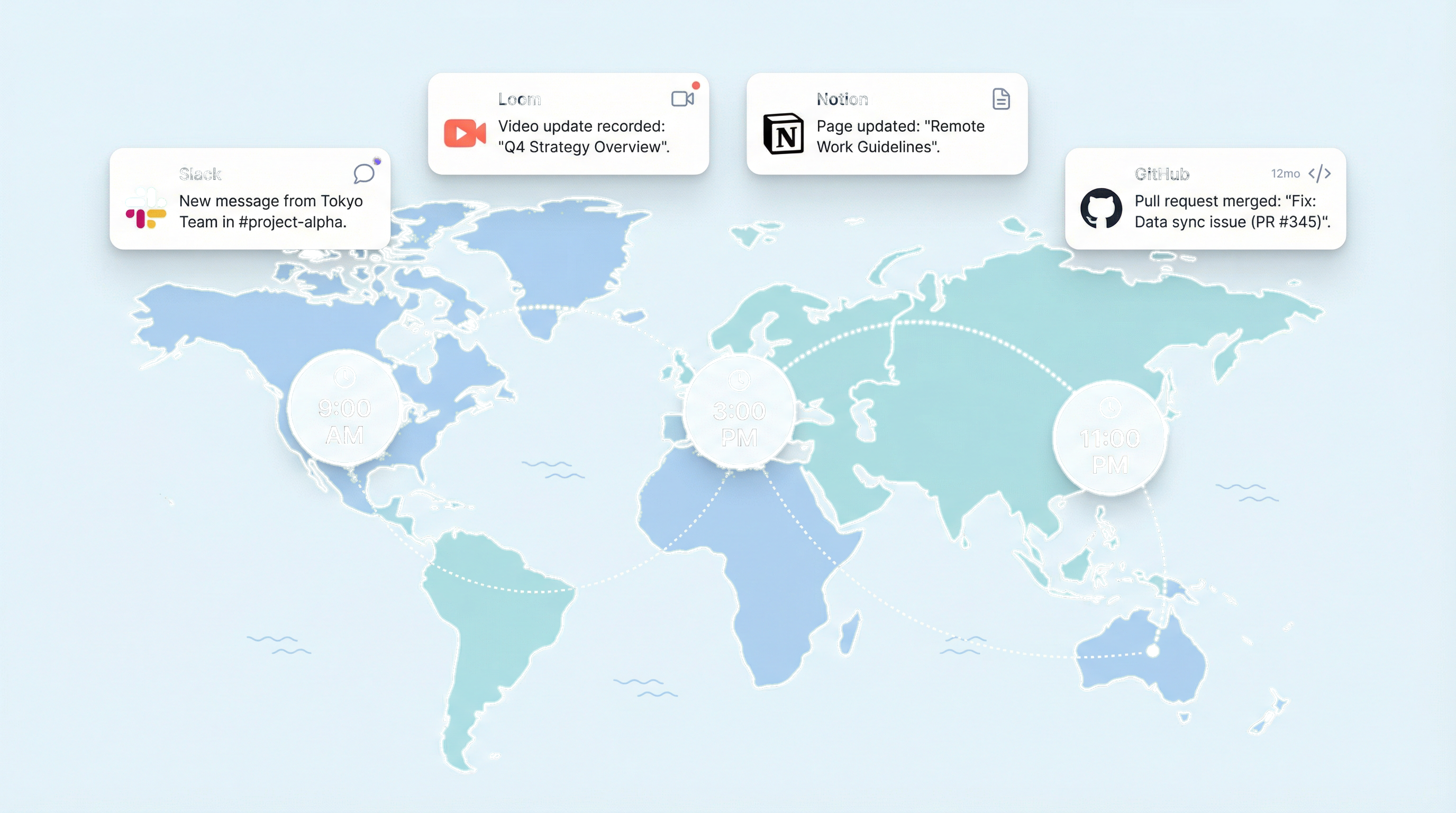
Common examples include email, recorded video messages, shared documents, and project management updates. In remote work contexts, async communication enables teams distributed across time zones to collaborate without requiring overlapping work hours.
Examples of Asynchronous Communication
Written formats:
- Email threads
- Slack messages (when not expecting instant replies)
- Project management comments (Asana, Linear, Jira)
- Shared document comments (Google Docs, Notion)
- Wiki and knowledge base articles
- README files and technical documentation
Video and audio formats:
- Loom recordings
- Recorded presentations
- Voice memos
- Podcast-style team updates
Structured updates:
- Standup bots (Geekbot, Standuply)
- Status updates in project tools
- Weekly async reports
- Changelog and release notes
Why Async Has Become the Default
Remote-first companies like GitLab, Doist, Zapier, and Automattic operate primarily through asynchronous communication. The shift happened for three reasons:
Time zone distribution: When your team spans San Francisco to Singapore, finding overlapping hours for meetings becomes mathematically impossible. Async removes this constraint.
Deep work protection: Synchronous communication fragments attention. Studies show it takes an average of 23 minutes to regain focus after an interruption. Companies that prioritize async protect their employees' ability to do concentrated work.
Documentation as a byproduct: When communication happens in writing, you automatically create a searchable record. Decisions, context, and rationale become accessible to anyone, anytime—including future team members.
If you want to go deep on async philosophy, read the source material: GitLab's Handbook and Doist's Async Guide are the bibles of this topic. Everything else (including this guide) is commentary.
The Reality Check
Here's what the blog posts about async utopia don't mention: async is hard. It requires discipline, judgment, and tolerance for ambiguity that many people underestimate.
I've seen async fail spectacularly—not because of tooling, but because people confused "not being in meetings" with "not needing to communicate." They'd go dark for days, assuming silence meant alignment. It didn't.
Async done well is more communication, not less. It's just structured differently.
Synchronous vs Asynchronous Communication
Understanding when to use each communication mode is a core remote work competency. Remote employers look for candidates who can make this judgment call effectively.
Comparison Table
| Aspect | Synchronous | Asynchronous |
|---|---|---|
| Definition | Real-time, simultaneous communication | Time-delayed, at-your-own-pace communication |
| Examples | Video calls, phone calls, in-person meetings | Email, Loom videos, Slack threads, docs |
| Best for | Urgent issues, sensitive conversations, brainstorming | Updates, documentation, non-urgent decisions |
| Time zone impact | Requires overlapping hours | Works across any time zones |
| Documentation | Must be captured separately | Creates record automatically |
| Response time | Immediate | Hours to days |
| Interruption level | High | Low |
When to Use Synchronous Communication
Sync communication still has its place. Use it for:
- Crisis situations requiring immediate decisions
- Sensitive conversations (performance feedback, conflict resolution)
- Complex brainstorming that benefits from rapid back-and-forth
- Team bonding and relationship building
- Interviews and onboarding conversations
- When async has failed (three or more back-and-forth messages without resolution)
That last point matters. Some people treat async as a religion and will exchange fifteen messages over three days rather than schedule a 10-minute call. That's not async discipline—that's stubbornness. Good judgment means knowing when to break the pattern.
When to Use Asynchronous Communication
Default to async for:
- Status updates and progress reports
- Non-urgent questions and requests
- Sharing information or context
- Decisions that benefit from thoughtful consideration
- Feedback that requires reflection before responding
- Anything that can wait 24 hours
The remote professional's rule: If it can be async, make it async. Reserve synchronous communication for situations that genuinely require it.
Why Remote Employers Care About Async Skills
Async communication is one of the most consistent signals that shows up when evaluating remote readiness. Here's why hiring managers weight it so heavily.
The Hidden Cost of Poor Async Skills
When a remote employee struggles with async communication, the impact ripples across the organization:
Meeting multiplication: Every question becomes a call. One employee with poor async skills can generate 5+ additional meetings per week for their team.
Timezone tax: International teammates can't get unblocked because answers only come during synchronous overlap hours. Projects stall.
Knowledge hoarding: Information lives in the poor communicator's head, not in accessible documentation. When they're unavailable, work stops.
Context switching: Teams constantly interrupt their deep work to answer questions that should have been documented.
A Story About Visibility
I once worked with a senior engineer who was brilliant technically—one of the best problem-solvers on the team. But he refused to write updates. He'd disappear into his work for days, emerging only when he had something finished.
Two weeks before a major launch, we discovered he was blocked on a dependency he'd never documented. He'd been stuck for four days, assuming he'd figure it out. He didn't. The project slipped by three weeks.
The failure wasn't about skill—he had plenty. It was about visibility. No one knew where things stood. In an office, someone might have wandered by his desk and noticed he looked frustrated. In a distributed team, silence is invisible.
That's when I learned: async failure is rarely about ability. It's about whether your team can see what's happening without asking.
What Hiring Managers Actually Look For
Based on analysis of remote job descriptions and hiring manager feedback, these are the async signals employers scan for:
1. Written communication proficiency
Can you convey complex information clearly in writing? Do your messages require follow-up clarification, or do they stand alone?
2. Tool fluency
Have you actually used the async tools remote teams depend on? Not just listed them—used them in real work contexts.
3. Documentation instincts
Do you proactively create documentation, or do you only communicate verbally? Have you built knowledge bases, written SOPs, or created onboarding materials?
4. Time zone awareness
Have you worked across time zones? Do you understand how to structure your communication so international teammates aren't blocked?
5. Video communication skills
Can you record clear, concise Loom-style updates? This specific skill appears in over 40% of remote job descriptions.
Why This Gets People Rejected
Here's the uncomfortable truth from a Head of Remote Operations at a 200-person distributed company:
"We reject otherwise strong candidates every week because their resumes scream 'meeting culture.' When every bullet point involves coordinating calls, leading standups, or presenting to stakeholders, we know they'll struggle here. If your resume reads like you need real-time validation to move forward, it's a red flag. We need people who can write a clear update, record a Loom, and move on—not schedule a call to discuss scheduling another call."
This is the async filter in action. Remote hiring managers aren't consciously scoring your resume against async criteria—they're pattern matching against candidates who created meeting overhead in previous roles.
The C.L.E.A.R. Async Framework
After reviewing hundreds of remote workflows—and watching plenty of them fail—the same five behaviors show up again and again in people who thrive asynchronously. We call this the C.L.E.A.R. framework—not because we invented it, but because these patterns kept emerging so consistently that we needed a way to talk about them.
Acronyms can be cheesy. This one exists to help you audit your own behavior. If you're missing one letter, you're likely creating friction for your team.
The C.L.E.A.R. Framework
C = Context-First Communication
You provide necessary background upfront, so recipients don't need to ask follow-up questions.
This sounds obvious, but it's where most async communication breaks down. People write messages assuming shared context that doesn't exist. Good async communicators front-load context obsessively.
Resume signals: "Wrote context-rich project briefs," "Created self-service documentation," "Developed onboarding materials that reduced new hire questions by 60%"
L = Loom and Video Proficiency
You can record clear, concise video updates that replace meetings.
A caveat: video is high-bandwidth but high-cost. If a paragraph of text would suffice, don't record a video. Video works best for conveying emotion, demonstrating something visual, or explaining nuance.
Resume signals: "Recorded weekly Loom updates for stakeholders," "Created video walkthroughs for async code reviews," "Built library of 50+ training videos"
E = Explicit Written Clarity
Your writing is clear, scannable, and actionable. You don't create confusion.
This means structure, formatting, and ruthless editing. Async writing isn't casual writing. It needs to work harder because you're not there to clarify in real-time.
Resume signals: "Authored technical documentation," "Wrote release notes for 40+ product launches," "Developed style guide for team communications"
A = Asynchronous Tool Mastery
You're fluent in the tools that enable async work.
Not just familiar—fluent. There's a difference between "I've used Notion" and "I built a team wiki in Notion that reduced onboarding time by two weeks."
Resume signals: "Managed projects in Asana/Linear/Notion," "Configured Slack workflows," "Built team knowledge base in Confluence"
R = Response Time Management
You communicate expectations about availability and response times clearly.
This is the most underrated async skill. In async environments, silence is ambiguous. Good async workers make their availability explicit. They set expectations. They don't leave people guessing.
Resume signals: "Coordinated across 5 time zones," "Established async communication protocols," "Reduced response time requirements through improved documentation"
Bad Async vs. Good Async
| ❌ Creates friction | ✅ Enables action |
|---|---|
| "Hey, do you have a sec?" | "Quick question about the Q2 dashboard—no meeting needed." |
| "Can we talk about the project?" | "Re: Homepage redesign—I need your sign-off on the hero image by Thursday. Options attached. Reply async or comment in Figma." |
| "I have some concerns." | "Three concerns about the API proposal: (1) rate limiting isn't addressed, (2) auth flow unclear, (3) no rollback plan. Wrote detailed thoughts in the RFC comments." |
The left column forces a synchronous response. The right column can be answered in one pass.
Async Tools Remote Employers Expect You to Know
Listing tools on your resume signals familiarity. But context matters—don't just list tool names, demonstrate how you used them.
Tier 1: Expected (most remote jobs assume these)
Slack
What employers expect: Not just using Slack, but using it well. Threading conversations, using channels appropriately, writing clear messages that don't require follow-up.
Here's the thing about Slack: it's often "fake async." The green dot creates presence pressure. People expect fast replies. Channels become firehoses. On your resume, don't just mention Slack. Show that you used it thoughtfully.
Strong Slack signals:
- • "Managed cross-functional communication across 15 Slack channels"
- • "Developed Slack workflow automations that reduced status update meetings by 70%"
- • "Created Slack-first communication protocols for 40-person remote team"
Strong Notion/Confluence signals:
- • "Built team knowledge base in Notion with 200+ articles"
- • "Maintained Confluence documentation for engineering processes"
- • "Designed wiki structure adopted by 3 departments"
Tier 2: Role-Specific
Different functions rely on different async tools. Include the ones relevant to your role:
| Function | Key Tools | Resume Signal |
|---|---|---|
| Project Management | Asana, Linear, Jira, Monday, ClickUp | "Managed 30+ projects in Asana providing async visibility" |
| Design | Figma (comments/collaboration) | "Conducted async design reviews through Figma comments" |
| Engineering | GitHub, GitLab (PRs, docs) | "Conducted 500+ async code reviews via GitHub PRs" |
| Sales | CRM tools, Vidyard | "Created async outreach using Vidyard video prospecting" |
Tier 3: Async-Specific (strong signals)
Loom
Perhaps the strongest async signal. Loom mastery indicates you can replace meetings with videos. But remember: the goal isn't to record more videos. It's to communicate effectively with fewer synchronous touchpoints.
Strong Loom signals:
- • "Recorded 100+ Loom videos for stakeholder updates, eliminating weekly status meetings"
- • "Created Loom-based onboarding program reducing training time by 40%"
- • "Built video tutorial library enabling async support for global customers"
Tools to Avoid Overemphasizing
These don't help your async signals:
- • Zoom, Google Meet, Microsoft Teams — Primarily synchronous tools. May signal sync-dependency.
- • Email — Too basic. Everyone uses email. Not a differentiator.
- • Phone — Purely synchronous. Avoid emphasizing unless relevant to support roles.
How to Prove Async Skills on Your Resume
Demonstrating async competency requires specific phrasing. Here's how to transform generic communication bullets into async-strong statements.
The Async Proof Formula
Tool + Context + Outcome = Async Signal
Example transformation:
❌ "Communicated with team members"
✓ "Coordinated with 12-person engineering team across 4 time zones using Slack and Linear, maintaining project velocity without increasing meeting load"
High-Signal Keywords and Phrases
Async-positive keywords:
- • Documented, authored, wrote, created, maintained
- • Knowledge base, wiki, SOP, runbook, playbook
- • Self-service, onboarding materials, reference guide
- • Asynchronous, async, time zones, distributed
- • Written updates, status reports, changelog
- • Recorded, Loom, video walkthrough
Weak signals (avoid or upgrade):
- • "Attended meetings" (purely sync)
- • "Presented to stakeholders" (sync unless recorded)
- • "Participated in calls" (sync)
- • "Led team meetings" (sync)
- • "Communicated with..." (unspecified format)
Before/After Resume Transformations
- • Communicated campaign updates to stakeholders
- • Wrote weekly async campaign reports in Notion, providing stakeholders across 3 time zones with real-time visibility into performance metrics without requiring status meetings
What changed: Specifies the format (written), the tool (Notion), the audience (stakeholders across time zones), and the async benefit (no status meetings).
- • Collaborated with team on code reviews
- • Conducted 400+ async code reviews via GitHub PRs, writing detailed feedback that enabled engineers in Europe and Asia to iterate without waiting for US business hours
What changed: Quantifies the activity, names the tool, and explicitly addresses time zone collaboration.
- • Helped customers with questions and issues
- • Built self-service knowledge base with 150+ articles, reducing support ticket volume by 35% and enabling customers to resolve issues asynchronously
What changed: Shows documentation creation with measurable impact on async support.
- • Kept team updated on project status
- • Recorded weekly Loom updates for cross-functional stakeholders, replacing standing meetings and saving 10+ hours of team time monthly
What changed: Names the async tool (Loom), quantifies the impact, and explicitly connects to meeting reduction.
Async Communication Examples by Role
Different roles demonstrate async skills in different ways. Here are examples organized by function.
Product Management
- "Wrote detailed PRDs in Notion enabling engineering to build without clarification meetings"
- "Created async product review process using Loom presentations and Figma comments"
- "Maintained product roadmap documentation updated weekly for stakeholder self-service"
- "Developed RFC process for async decision-making across 4 engineering teams"
- "Recorded quarterly planning videos reducing all-hands meetings from 2 hours to 30 minutes"
Engineering
- "Wrote comprehensive README documentation enabling async onboarding for 15+ engineers"
- "Conducted 600+ pull request reviews with detailed written feedback"
- "Created ADR (Architecture Decision Record) library documenting 40+ technical decisions"
- "Built internal documentation wiki contributing 100+ technical articles"
- "Recorded 50+ Loom code walkthroughs for async knowledge transfer"
Marketing
- "Developed content calendar in Notion with async approval workflows"
- "Created campaign briefs enabling agency partners to execute without kickoff calls"
- "Wrote monthly performance reports distributed via email, replacing review meetings"
- "Built marketing knowledge base with 75+ SOPs for async team reference"
- "Recorded 30+ training videos enabling async onboarding of contractors"
Customer Success / Support
- "Authored knowledge base reducing ticket volume 40% through customer self-service"
- "Created video tutorial library with 100+ walkthroughs for async customer education"
- "Developed internal runbook enabling support team to resolve issues without escalation calls"
- "Wrote help center articles achieving 90% helpfulness rating"
- "Built macro templates reducing response composition time by 60%"
Common Async Mistakes That Hurt Your Chances
These patterns signal to employers that you might struggle in an async environment.
Mistake 1: Only Listing Synchronous Tools
The problem: Your resume mentions Zoom, phone calls, and in-person meetings, but no async tools.
The signal: You're sync-dependent and will need constant meetings.
The fix: Add async tool experience. If you've used Slack, Notion, or any documentation tool, include it.
Mistake 2: Communication Bullets Without Format
The problem: "Communicated with stakeholders" — but how? Calls? Email? Slack? Documents?
The signal: You default to whatever's easiest, probably synchronous.
The fix: Specify the format. "Communicated via written status reports," "Coordinated through Asana updates."
Mistake 3: No Documentation Evidence
The problem: Your resume shows no evidence you've ever written documentation, built a knowledge base, or created SOPs.
The signal: You keep information in your head and share it verbally.
The fix: Include at least one documentation-related bullet. Even "Documented team processes" is better than nothing.
Mistake 4: Meeting-Heavy Language
The problem: Multiple bullets reference running meetings, attending calls, or leading presentations.
The signal: You solve problems by scheduling meetings.
The fix: Balance meeting mentions with async activities. For every meeting bullet, include an async bullet.
Mistake 5: Over-Communication Theater
The problem: This one's subtle. Some people confuse async with constant status updates—pinging Slack every hour, writing exhaustive daily summaries, documenting every micro-decision.
The signal: You don't trust the system (or yourself) to work without constant visibility.
The fix: Good async is enough communication, not maximum communication. The goal is to reduce coordination overhead, not replace meetings with an equivalent volume of written noise.
Async Isn't Calm—It's Quiet Pressure
This deserves its own section because it's the thing people get wrong most often.
Async work sounds peaceful. No interruptions. No meetings. Deep work all day. That's the marketing version.
The reality: async is quiet pressure.
The anxiety of silence. When you send a message and don't get a response for six hours, your brain fills the void. Are they upset? Did I say something wrong? Did they even see it? In synchronous work, you get immediate signals—facial expressions, tone, quick replies. In async, you get nothing.
The danger of assuming alignment. Silence often gets interpreted as agreement. It isn't. I've watched projects go sideways because one person thought silence meant "looks good" when it actually meant "I haven't read this yet." Never assume alignment without explicit confirmation.
The burden of over-clarity. In synchronous communication, you can be a little sloppy. You'll clarify in real-time. In async, every message has to stand alone. You have to anticipate questions. You have to provide context that would normally emerge through conversation. That's cognitive work.
Here's the uncomfortable truth: async communication isn't for everyone. If you need frequent real-time validation, immediate feedback, or social energy from colleagues to do your best work, a fully async environment will grind you down.
That doesn't make you bad at remote work. It means you should look for remote roles with more synchronous rhythms—daily standups, regular video check-ins, collaborative working sessions.
Your resume should reflect how you actually work best, not what you think employers want to hear. Misrepresenting your async tolerance leads to jobs that make you miserable.
How to Describe Documentation Skills
Documentation is the infrastructure of async communication. Here's how to describe documentation work effectively.
The Real Goal of Documentation
Shift your thinking from "write more documentation" to "write documentation that makes you unnecessary."
The measure of good documentation isn't volume—it's whether people stop asking you questions. The best documentation is invisible. It works so well that no one thinks about it.
When describing documentation on your resume, frame it around obsolescence. You wrote something once so that others could succeed without you.
Types of Documentation to Highlight
Process documentation: SOPs, runbooks, playbooks, workflows
"Authored 30+ standard operating procedures enabling team to operate independently"
Knowledge bases: Internal wikis, help centers, FAQs
"Built engineering knowledge base with 200+ articles serving 50+ team members"
Technical documentation: READMEs, API docs, architecture docs
"Wrote API documentation enabling external developers to integrate without support calls"
Onboarding documentation: New hire guides, training materials
"Created onboarding documentation reducing new hire ramp time from 6 weeks to 3 weeks"
Decision documentation: RFCs, ADRs, meeting notes, decision logs
"Established RFC process capturing rationale for 40+ technical decisions"
Cross-Timezone Collaboration
Working across time zones is a specific async skill. Here's how to demonstrate it.
What Cross-Timezone Work Signals
When your resume shows timezone collaboration, employers infer:
- You understand async communication necessity (not just preference)
- You can structure your work for handoffs
- You write clearly enough for recipients to act without clarification
- You respect others' work hours and don't expect immediate responses
How to Describe Timezone Collaboration
Basic: "Worked with international team members"
Better: "Collaborated with team across US, Europe, and Asia"
Best: "Coordinated product launches across 3 continents, structuring communication for 16-hour timezone spread without requiring after-hours availability"
Timezone-Related Phrases
- "Coordinated across X time zones"
- "Enabled follow-the-sun workflow"
- "Structured handoffs between US and APAC teams"
- "Communicated with global stakeholders without timezone overlap"
- "Maintained velocity despite 12-hour timezone difference"
- "Created documentation enabling async handoffs across regions"
TL;DR: Quick Wins for Your Resume
TL;DR: Key Takeaways
If you're short on time, make these changes:
- Add one async tool you've used (Slack, Notion, Asana, etc.)
- Include one documentation bullet (even "Created team documentation" helps)
- Mention timezone collaboration if you've ever worked with anyone in a different location
- Specify communication format in at least one bullet ("communicated via written reports" vs just "communicated")
- Remove sync-only language or balance it with async evidence
Frequently Asked Questions
Check Your Async Communication Signals
Your async communication signals indicate how effectively your resume demonstrates written communication, tool proficiency, documentation skills, and cross-timezone collaboration ability.
This is one of the most consistent patterns we see when evaluating remote readiness.
Common issues that weaken your async signals:
- Only listing synchronous communication tools
- No evidence of documentation creation
- Missing async-specific tools like Loom or Notion
- Communication bullets without format specification
- No mention of timezone or distributed collaboration
RemoteResume.ai Team
•Remote Work & Resume ExpertsWe help job seekers optimize their resumes for remote work opportunities using data-driven insights from thousands of successful remote hires.
Related Guides
Autonomy & Initiative: The #1 Signal Remote Employers Filter For
Learn how to prove you don't need micromanagement. Includes the A.I.R. Framework and before/after examples.
Outcome Framing: Show Results, Not Responsibilities
Transform your resume from a task list into a results showcase with the R.I.M. Framework.
Remote Experience: How to Prove You've Thrived Outside an Office
Show prior remote work history or evidence you've thrived in low-oversight environments.
Ready to optimize your resume?
Get your free Remote Ready Score and see exactly how remote employers evaluate your resume.